Introducing Motion, the General Video AgentSkip to content
Motion

Motion

The General Video Agent

Used by teams at

  • The Sun
  • News UK
  • talkSPORT
  • New York Post
  • News Corp
  • TubeScience
  • Backstage Pass

Your ideas, in motion.

Motion is a video agent made by Mosaic. Give it footage, writing, a reference or just an idea, and it plans the video, builds every shot and watches the cut before you see it.

From your idea to a finished video

Raw footage in, finished video out.

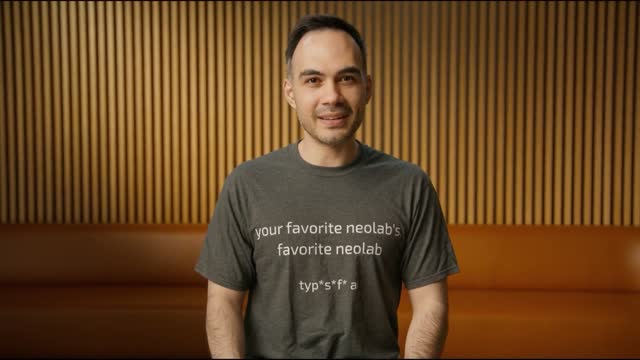
can you make me an amazing talking head video of these 2 founders of this clip whereas the style should match the Typefast AI launch video Typefast AI launch video

Customer stories

In their words.

Derek Brown · News UK

Trusted by 100,000+ users.

  • “Thank you @motion_so and @claudeai for this gem”

    Lenny RachitskyHost of Lenny’s Podcast
  • “I love this, video editing is still so painful today, excited to play around with Mosaic!”

    Logan KilpatrickHost of Around the Prompt Podcast
  • “I integrated Mosaic.so's video API yesterday, pretty wild”

    Garry TanPresident & CEO of Y Combinator
  • “Really excited to try it!”

    Dwarkesh PatelHost of Dwarkesh Podcast

The first cut is just the start.

Keep shaping it until it feels right. Ask for changes in chat, annotate a moment, or adjust the preview directly. Trim clips, move layers, and fine-tune timing in the timeline, then export to keep refining in your existing tools.

An animated walkthrough shows the whiteboard removed after a chat request, a speaker circled and isolated in a close-up, a title dragged and rewritten directly in the preview, a clip trimmed and a title moved in the timeline before scrubbing the cut, and the cursor opening an export menu with Premiere Pro, After Effects, DaVinci Resolve, Remotion, and Hyperframes. Select a step to replay it.

Fits into the way you work.

Your sources, your workflow, your audience. Bring them together with Motion.

01 / Plugins

Start with what’s yours.

Bring your footage, brand assets, briefs, and product context into the conversation. Connect the tools where your work lives, and let Motion use those sources to shape the film.

Explore Plugins
  • Dropbox
  • Google Drive
  • Slack
  • Frame.io
  • Getty
  • Notion
  • GitHub
  • Figma

02 / Automations

Set the rhythm.

Give Motion a repeatable task. Run it on a schedule, when a new YouTube video lands, or when a stream ends. Every run gets its own chat, so you can review and refine the result.

Explore Automations

Example workflow

Every Monday · 9:00 AM

Turn this week’s updates into a short video.

A weekly update, ready to review.

03 / Social Connections

Make it. Share it.

Connect your social accounts, schedule finished videos across your channels, and see how they perform. From the first cut to the next post, all in Motion.

Explore Social Connections
Lex Fridman podcast with Sam Altman
Podcast highlights.mp4 Ready to share
  • Instagram
  • YouTube
  • TikTok
  • LinkedIn
  • X
  • Facebook
  • Threads
  • Reddit
  • Mastodon
  • Bluesky
  • Snapchat

04 / Export Anywhere

Keep going in your favorite editor.

Export directly to After Effects, Premiere Pro, DaVinci Resolve, Remotion, or Hyperframes, and keep editing in the tools you already use.

  • After Effects
  • Premiere Pro
  • Remotion
  • Hyperframes
  • DaVinci Resolve

Build with Motion.

Bring video creation into your products and the agents you already use.

Questions

What is Motion?

Motion creates and edits videos from a brief, your footage, or a reference. From launch videos and talking heads to podcast clips and motion design, it plans the work, builds the shots, edits them, and checks the cut before handing it to you.

Can I use my own footage and brand?

Yes. Attach footage, images, audio or a style reference, or paste a link to a video. Motion cuts the footage, keeps dialogue intact and follows the reference’s pacing and typography.

Can I change the video after it’s done?

Reply in the chat, edit directly in the timeline, or draw on the preview frame where you want the change. Motion reads the mark and the timestamp and edits that moment.

Can I use Motion with Premiere Pro or After Effects?

Yes. Motion supports direct exports to Adobe Premiere Pro and After Effects, so you can keep editing in the tools you already use.

How much does Motion cost?

Motion uses credits. Flex is $6 for 200 credits, with no subscription and credits that never expire. Pro starts at $29/month for 1,000 credits per month, with larger credit bundles and annual billing available. Enterprise offers custom pricing for teams needing 50,000+ credits per month. Open Motion and choose Pricing to compare plans.

The agent for any video.

From a logo animation to a full podcast. One video agent.

Start creating Motion

Try Motion
    \  /
 .--.\/.--.
(    ()    )
 '-._||_.-'
  (  /\  )
   '-  -'
    \  /
   .-\/-.
  (  ()  )
   '-||-'
    (/\)
     ''
    \  /
     \/
     ()
     ||
     /\